
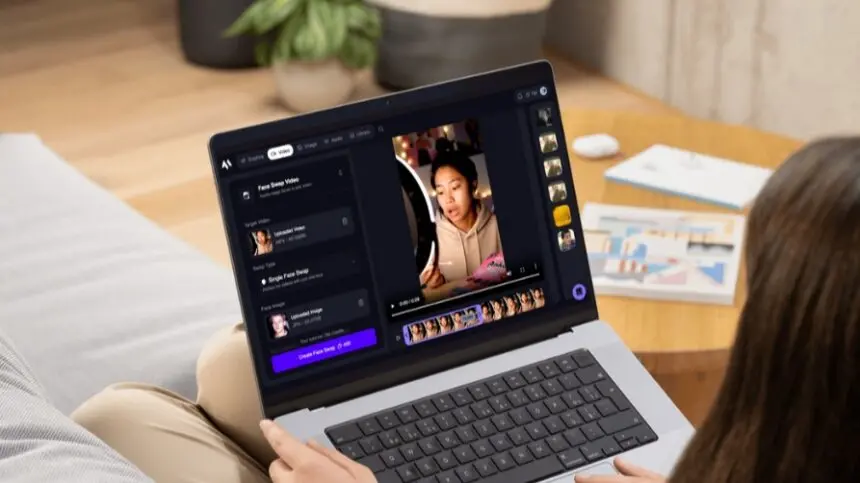
AI face swap technology has come a long way from novelty filters. As of 2026, the best tools produce results convincing enough for professional marketing campaigns, UGC-style ads, client deliverables, and high-volume social content. The alignment, skin tone matching, and expression transfer that used to require a VFX studio now happen automatically — in seconds, in a browser, for free.
The problem is that not every face swap tool is actually good. Some produce results that look great in a thumbnail and fall apart on closer inspection. Others charge premium prices for capabilities that free tiers elsewhere match easily. And a handful are genuinely impressive reliable, fast, and versatile enough to fit into a real production workflow.
I spent several weeks testing the leading options across photos, videos, and GIFs to figure out which ones actually deliver. Here is what I found.
At a Glance: Best Face Swap Tools of 2026
| Tool | Best For | Photo | Video | GIF | Free Plan | Starting Price |
| Magic Hour | All-in-one creator workflows | ✅ | ✅ | ✅ | ✅ No signup needed | $15/mo ($10 billed annually) |
| DeepSwap | Video batch processing | ✅ | ✅ | ✅ | ✅ Limited | ~$9.99/mo |
| Reface | Social content & meme templates | ✅ | ✅ | ✅ | ✅ With watermark | ~$7.58/mo (annual) |
| Akool | Enterprise & marketing teams | ✅ | ✅ | ❌ | ❌ No | Custom / from $49/mo |
| DeepFaceLab | High-fidelity video deepfakes | ❌ | ✅ | ❌ | ✅ Open-source | Free (hardware costs apply) |
| FaceMagic | Mobile-first TikTok creators | ✅ | ✅ | ✅ | ✅ Limited | ~$6.99/mo |
| Swapface | Real-time live streaming | ❌ | ✅ (live) | ❌ | ✅ Free | Free / paid tiers |
| Vidwud | Budget casual use | ✅ | ✅ | ✅ | ✅ Generous | Free / paid tiers |
| Higgsfield AI | Animated character workflows | ✅ | ✅ | ❌ | ✅ Limited | $9/mo |
| FaceFusion | Open-source privacy-first use | ✅ | ✅ | ✅ | ✅ Fully free | Free (self-host) |
1. Magic Hour — Best Overall Face Swap Tool
Magic Hour is the top free face swap online no watermark in 2026, and it earns that position across every dimension I tested — photo quality, video swap realism, workflow flexibility, and overall value.
What separates Magic Hour from everything else isn’t just the face swap output quality (though that is genuinely best-in-class). It’s what surrounds it. Photo face swap, video face swap, GIF face swap, multi-face mapping, lip sync, talking photos, image upscaling, and text-to-video all live in a single dashboard. You can swap a face into a video, animate it, and add a synced voiceover without leaving the platform — a one-click multi-step workflow that no other tool on this list comes close to matching.
After two weeks of daily use — across meme edits, product demos, UGC-style ad variations, and entertainment content — Magic Hour’s face swap consistently produced the most natural-looking results. Automatic lighting adaptation, expression matching, and skin tone blending handled the heavy lifting without requiring any manual cleanup.
What makes it genuinely different:
- No signup required to try it — get 5 free photo face swaps, 3 video swaps, and 3 GIF swaps daily with zero friction
- No watermark on photo swaps, even on the free plan
- Credits never expire — paid credits carry forward indefinitely, unlike most platforms
- Multi-face swap support — map multiple faces in a single video from the dashboard
- Full API parity — every feature available in the UI is accessible via API for developers and teams building at scale
- Parallel generation — no concurrency cap, so jobs start immediately regardless of how many you queue
- Best-in-class lip sync and talking photos alongside face swap — the full creator toolkit in one place
- Trusted by professional teams at Meta, NBA, L’Oréal, Puma, Cisco, Shopify, and more
- Weekly feature releases — the product improves noticeably month over month
- Founder-level support — responses are fast and actually solve problems
The free tier is unusually generous. No card. No signup. Daily free generations that reset automatically. For paid users, credits never expire — a meaningful advantage over platforms that reset your balance at the end of each billing cycle.
Pros:
- Best face swap realism across photos, videos, and GIFs in testing
- Photo swaps are watermark-free on the free plan — no account needed
- Multi-face mapping for group videos and complex scenes
- Full ecosystem: face swap + lip sync + talking photo + video generation in one place
- API access with complete feature parity — ideal for teams and developers
- No concurrency cap — parallel jobs run simultaneously
- Commercial use rights from Creator plan upward
- 4.9/5 on Product Hunt, 100M+ AI images generated, 500K+ active creators monthly
Cons:
- Premium models consume more credits on higher-volume projects
- 4K video export requires the Business plan
- Video face swaps carry a watermark on the free tier (photo swaps do not)
Pricing:
- Free: No signup — 5 photo swaps, 3 video swaps, 3 GIF swaps daily; no watermark on photos
- Creator: $15/month ($10/month billed annually) — 120,000 credits/year, 1024px, full commercial use
- Pro: $39/month ($25/month billed annually) — 300,000 credits/year, 1472px, priority queue
- Business: $99/month ($66/month billed annually) — 840,000 credits/year, 4K exports, 10GB uploads
If you create any kind of content that involves faces — ads, social clips, fan edits, client work — Magic Hour is the most capable and cost-effective platform in 2026.
2. DeepSwap — Best for Video Batch Processing
DeepSwap is the strongest pure video face swap tool outside of Magic Hour. Its speed on video is notable — a 1-minute clip processes in approximately 10 seconds on paid plans, significantly faster than most cloud-based competitors. Multi-face support (up to 6 simultaneous faces) is also robust, with consistent quality maintained across secondary faces rather than degrading as the count increases.
Where DeepSwap falls short is ecosystem depth. It’s a focused tool for face replacement in video and photos, not a broader creator platform. If face swap is the only thing you need and you’re working with video at volume, it’s a strong choice. If you also need lip sync, upscaling, or image generation, you’ll be managing multiple subscriptions.
Pros:
- Fast video processing — among the quickest in cloud-based tools
- Strong multi-face support (up to 6 faces simultaneously)
- Clean, straightforward interface with low learning curve
- Batch photo editing available for high-volume image workflows
Cons:
- No ecosystem beyond face swap — no lip sync, upscaling, or generation tools
- Free tier is limited compared to Magic Hour’s daily allocations
- Less versatile for creators who need a full content production workflow
Pricing: From approximately $9.99/month; free tier available with limited use.
3. Reface — Best for Social Content and Meme Templates
Reface has over 250 million users for a reason: it’s the fastest, most frictionless way to drop your face into a celebrity moment, movie scene, trending meme, or viral GIF template. The built-in content library is enormous and updates constantly, which makes it genuinely useful for creators who live on the social content treadmill.
The quality ceiling, however, is where Reface shows its consumer-first DNA. Results are clearly designed for entertainment and shareability, not for ad campaigns or client deliverables. Photorealism trails Magic Hour and DeepSwap noticeably on video. The billing model also deserves attention — multiple verified user reports describe unexpected charges after trials. If you subscribe, use the annual web plan and manage it through your payment dashboard directly.
Pros:
- Massive template library of movie scenes, celebrity clips, and viral memes
- Processing is fast — among the quickest for short-form social content
- Mobile app is polished and easy to use on iOS and Android
- Regular content drops keep the template library fresh
Cons:
- Quality ceiling significantly lower than professional tools
- Freemium model includes watermarks and usage limits on free tier
- Billing practices have drawn user complaints — verify subscription terms carefully
- Not suitable for commercial-grade or professional deliverables
Pricing: Basic from approximately $7.58/month (billed annually); Premium approximately $9.99/month (billed annually).
4. Akool — Best for Enterprise and Marketing Teams
Akool is built for a different buyer than most tools on this list. It’s a full AI video production suite — face swap, avatar generation, video translation, multi-language lip sync, and talking photo — packaged for agencies and marketing teams that need polished, commercial-grade output at scale.
The multi-language lip sync in particular is where Akool stands out. In head-to-head testing on a marketing video requiring English, Spanish, and French versions, Akool’s mouth movement accuracy across all three languages was the strongest I tested. For enterprise teams producing localized content at volume, that capability is a genuine differentiator.
The trade-off is cost and accessibility. Akool’s pricing sits significantly above most other tools on this list, and the interface is oriented toward structured workflows rather than casual, rapid iteration.
Pros:
- Best-in-class multi-language lip sync accuracy
- Advanced facial tracking for precise, high-fidelity results
- Full enterprise feature set including avatar generation and video translation
- Commercial use rights and team collaboration features built in
Cons:
- High price point relative to most creator tools
- Interface optimized for structured enterprise workflows, not rapid iteration
- Overkill for individual creators or small teams
- No meaningful free tier for evaluation
Pricing: Custom pricing for enterprise; individual plans from approximately $49/month. Verify current rates at akool.com.
5. DeepFaceLab — Best for High-Fidelity Deepfake Video
DeepFaceLab is the open-source tool behind much of the professional face swap work seen in film, TV, and high-end VFX production. When it works — with enough training data, proper hardware, and time investment — the quality is genuinely unmatched. The level of control over model training, facial geometry, and blending parameters is unavailable in any consumer tool.
The practical problem is accessibility. DeepFaceLab runs on Windows only, requires a capable NVIDIA GPU, demands significant time to learn, and takes hours or days of training before producing quality results. For independent creators, marketers, or anyone with a deadline, the friction is prohibitive. For researchers, VFX professionals, and technically oriented developers who need maximum control and have the time to invest, it remains the gold standard.
Pros:
- Highest potential quality ceiling of any tool on this list
- Complete control over training, model architecture, and blending
- Open-source and free — no subscription, no credits
- No data privacy concerns — everything runs locally on your hardware
Cons:
- Windows-only — excludes Mac users entirely
- Steep learning curve — realistic learning investment is weeks, not hours
- Requires powerful NVIDIA GPU hardware
- Not practical for time-sensitive or high-volume content workflows
Pricing: Free (open-source). Hardware costs (GPU) are the real investment.
6. FaceMagic — Best for Mobile-First Creators
FaceMagic is designed specifically for the smartphone creator workflow. The app processes face swaps directly on mobile, producing smooth facial animations in pre-made video templates — and the output is consistently better than what most mobile-first tools deliver. For TikTok and Instagram creators who need to move fast and stay vertical, it’s an efficient option.
The limitations kick in when you step outside the mobile use case. FaceMagic’s template library is smaller than Reface, its web experience is less polished than desktop-first tools, and quality at higher resolutions trails dedicated professional platforms. It’s a solid secondary tool, not a primary production workflow.
Pros:
- Optimized for mobile — intuitive app experience on iOS and Android
- Smooth facial animation results for vertical video formats
- Good output for the speed — fast swap generation on modern devices
- Works well for TikTok-style trends and quick content
Cons:
- Template library smaller than Reface
- Web experience is secondary to the mobile app
- Quality ceiling lower than professional platforms
- Commercial use requires paid subscription
Pricing: From approximately $6.99/month; limited free tier available.
7. Swapface — Best for Live Streaming and Real-Time Swaps
Swapface solves a specific problem no other tool on this list addresses well: real-time face swap for live video. Running locally on desktop hardware, it processes face replacement in real time with no perceptible lag — making it the obvious choice for Twitch streamers, YouTube Live creators, and anyone who needs a face swap running during a live session rather than in post-production.
The trade-off is that it’s purely a live tool. There’s no post-production workflow, no photo or GIF swap capability, and output quality is constrained by the real-time processing requirement. It also requires a capable GPU to run smoothly — an NVIDIA GTX 1060 or equivalent at minimum.
Pros:
- Only tool on this list designed for real-time live face swap
- Local processing means zero latency and complete data privacy
- Free at its core — strong value for streamers
- Integrates cleanly with OBS and streaming setups
Cons:
- Live use only — no post-production or photo swap capability
- Requires compatible NVIDIA GPU for smooth performance
- Windows-focused with limited cross-platform support
- Quality constrained by real-time processing requirements
Pricing: Free core version; paid tiers available for additional features.
8. Vidwud — Best for Budget-Conscious Casual Use
Vidwud offers an unusually generous free tier — unlimited use with no watermarks on many output types — which makes it genuinely useful for casual creators who want to test face swap capabilities without spending money. The web-based interface requires no download, and the workflow is simple enough for first-time users.
Quality is the honest limitation. Vidwud’s results are clearly below the output of Magic Hour, DeepSwap, and Akool on comparable prompts. Artifacts appear more frequently, and multi-face handling degrades more noticeably than in the top-tier tools. For personal projects and exploration, the free access is hard to argue with. For anything destined for a real audience or a client, the quality gap is meaningful.
Pros:
- Unusually generous free tier — no watermarks on many output types
- No software download required — fully browser-based
- Simple interface suitable for beginners
- Supports photos, videos, and GIFs
Cons:
- Quality clearly below top-tier tools — more artifacts on complex scenes
- Multi-face quality degrades noticeably at higher face counts
- Not suitable for professional or commercial deliverables
- Less predictable results across different input types
Pricing: Free tier available; paid plans at competitive rates.
9. Higgsfield AI — Best for Animated Character Workflows
Higgsfield AI takes an interesting angle on face swap — rather than purely replacing a face in existing footage, it’s oriented toward building animated characters and reusable identities that can be deployed across multiple clips. The face swap capability feeds into a broader character creation and animation workflow, which makes it particularly useful for creators building consistent visual identities across a content series.
The credit model is detailed and can feel complex at first, but it gives users fine-grained control over quality and resolution trade-offs per job. The Pro plan unlocks the Face Swap Pro model, which delivers noticeably better results than the base option.
Pros:
- Strong character consistency across multiple generated clips
- Good for series-oriented content where a consistent visual identity matters
- Detailed credit model allows quality/cost optimization per job
- Active model development with regular updates
Cons:
- Pricing model is more complex than most tools — requires understanding credit costs per feature
- Not optimized for simple one-off face swaps in existing footage
- Smaller community and template library than established platforms
- GIF support not currently available
Pricing: Free — 5 generations/day; Basic from $9/month; Pro from $17.40/month (annual billing).
10. FaceFusion — Best Open-Source Option for Privacy-First Users
FaceFusion is the most capable fully open-source face swap option available in 2026. Available on GitHub, it supports photos, videos, and GIFs, runs entirely on local hardware, and carries no usage restrictions or licensing fees. For developers, researchers, and privacy-conscious users who want full control over their data and process, it is the clearest recommendation.
The friction is real — setup requires technical knowledge, local GPU hardware, and patience. But for teams with the infrastructure and the intent to build custom face swap pipelines, FaceFusion provides a base that no cloud tool can match for flexibility.
Pros:
- Completely free — no credits, no watermarks, no restrictions
- Fully local — no data leaves your hardware
- Supports photos, videos, and GIFs
- Open-source with active community development
- Full commercial use rights
Cons:
- Technical setup required — not suitable for non-developers
- Requires local GPU hardware (quality scales with hardware capability)
- No interface polish — workflow is developer-oriented
- Limited template support compared to consumer tools
Pricing: Free (open-source, self-hosted).
How We Chose These Tools
I evaluated each tool over several weeks of active use across four criteria.
Output quality. I ran identical face images through every platform using the same target photos and videos. Results were evaluated on facial alignment, skin tone matching, expression transfer, artifact presence, and overall believability at both thumbnail and full-resolution viewing.
Workflow practicality. A tool that produces great results after 20 minutes of setup is less useful than one that delivers 90% of that quality in 30 seconds. Generation time, format flexibility, and how the tool fits into a real content production workflow — not a demo environment — all factored in.
Value and accessibility. Free tier generosity, credit pricing, what commercial use requires, and how the cost scales with volume are all part of how useful a tool actually is in practice.
Ecosystem fit. A face swap tool that sits inside a broader creator platform is more valuable than a standalone tool, because it reduces the number of subscriptions and workflow handoffs required to get from concept to finished output.
The Market Landscape: Where Face Swap Technology Is Heading
A few shifts are defining this category heading into late 2026.
Real-time quality is approaching post-production quality. Tools like Swapface are making live face swap viable for professional streaming use cases, not just novelty filters. The gap between what’s possible in real time and what’s possible in post-production is closing faster than expected.
Multi-face capability is becoming standard. A year ago, swapping more than one face in a video required specialist tools or significant quality trade-offs. As of 2026, most leading cloud platforms handle multi-face swap cleanly, with consistent quality across secondary faces.
Face swap is merging with broader production workflows. The most useful tools are not standalone face swap apps — they’re platforms where face swap is one capability inside a larger toolkit that includes lip sync, voice cloning, animation, and upscaling. Magic Hour is the clearest example of this direction, and the pattern is likely to continue as other platforms expand their feature sets.
Commercial use rights are sharpening. As face swap moves from novelty to production tool, the licensing and commercial use terms are becoming more important. Platforms that clearly define commercial rights — and enforce content policies around consent and misuse — are better positioned for sustained professional adoption.
Final Takeaway: Which Face Swap Tool Should You Use?
Here’s how I’d map it:
- You want the best overall tool for creators → Magic Hour. Best face swap quality in photos, video, and GIFs. No signup to try. No watermark on photo swaps. Credits never expire. Lip sync, talking photo, and upscaling all included. Hard to beat at $10–15/month.
- You need fast batch video face swap → DeepSwap. Fastest cloud processing for video, strong multi-face support, clean and focused interface.
- You’re making daily social and meme content → Reface. The template library is unmatched for entertainment content. Manage your subscription carefully.
- You’re running an enterprise marketing team → Akool. Best multi-language lip sync, enterprise workflow integration, and precision for commercial campaigns.
- You’re a VFX professional or researcher → DeepFaceLab. Maximum quality and control at the cost of significant time and technical investment.
- You stream live and need real-time swap → Swapface. The only tool built specifically for this use case.
- You’re a developer who wants full local control → FaceFusion. Open-source, no restrictions, runs entirely on your hardware.
The one rule that holds across all of them: test with your actual content before committing. The prompt that produces stunning results on one platform often produces mediocre results on another, because models are trained differently. Run your own images through two or three options — most offer free tiers — and let the output quality on your material make the decision.
Frequently Asked Questions
Q: What is the best AI face swap tool in 2026?
A: Magic Hour is the best overall platform — combining best-in-class photo, video, and GIF face swap with lip sync, talking photo, and upscaling in a single dashboard. No signup is needed to try it, and photo swaps are watermark-free on the free plan.
Q: Are AI face swap tools free to use?
A: Many offer free tiers. Magic Hour provides 5 free photo swaps, 3 video swaps, and 3 GIF swaps daily with no signup. Reface offers limited free swaps with watermarks. DeepFaceLab and FaceFusion are completely free (open-source). Swapface has a free core version.
Q: Can I use face swap results commercially?
A: It depends on the platform and plan. Magic Hour grants commercial use rights from the Creator plan ($15/month, or $10/month billed annually) upward. FaceFusion (open-source) has no commercial restrictions. Most free tiers limit output to personal, non-commercial use — always verify the specific terms before distributing commercially.
Q: Is AI face swap legal?
A: Face swapping is legal when used with consent for legitimate purposes — entertainment, marketing, creative projects. Issues arise with non-consensual use, impersonation intended to deceive, or explicit content involving real people without consent. Always use content you have rights to and obtain permission when using recognizable faces.
Q: Which face swap tool works best for video?
A: For professional video quality within a broader workflow, Magic Hour leads. For pure video batch processing speed, DeepSwap is the strongest dedicated option. For cinematic VFX-quality output with significant time investment, DeepFaceLab is unmatched.