
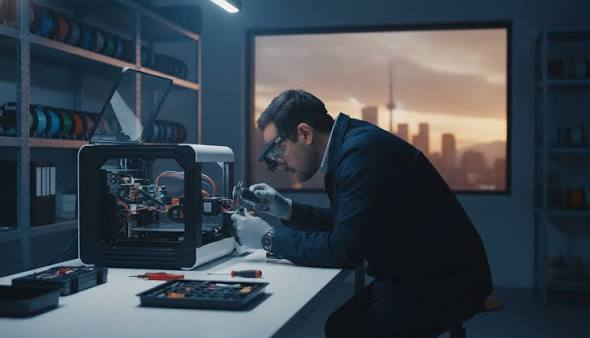
In production environments and professional design studios alike, 3D printers are expected to perform consistently across long print runs. When output quality starts to decline, the instinct is often to recalibrate — adjust the bed, re-level the nozzle, tweak the slicer settings. For many minor issues, that approach works. But there is a category of problems that recalibration cannot fix, and continuing to treat them as tuning errors delays the inevitable while compounding the damage.
The challenge is that mechanical and electrical failures in 3D printers rarely announce themselves suddenly. They tend to surface gradually, often mimicking the same symptoms as a printer that simply needs adjustment. Understanding the difference between a printer that needs recalibration and one that needs genuine repair is not always intuitive — but it matters significantly when the cost of misprints, wasted material, and workflow delays starts to accumulate.
The following signs are grounded in the operational realities of printers used regularly in professional or light industrial contexts. Each one represents a problem that recalibration alone cannot resolve.
When Consistent Output Becomes Unreliable Despite Correct Settings
One of the most reliable indicators that a 3D printer requires professional attention is when output quality becomes inconsistent even after the settings have been verified and confirmed correct. When a printer produces acceptable results on one run and noticeably flawed results on the next — with no changes made to the file, material, or environment — the problem is almost certainly mechanical or electrical rather than a calibration issue. Seeking professional 3d printer repair at this stage, before the underlying fault worsens, is often more cost-effective than continuing to troubleshoot settings that are not the source of the problem.
Why Inconsistency Points to Hardware, Not Settings
Calibration addresses static conditions — the relationship between the print head, the bed surface, and the defined movement parameters. It does not account for variables introduced by hardware that behaves unpredictably under operating conditions. A worn drive gear that slips intermittently, a stepper motor with degraded performance, or a thermistor that reads temperature inaccurately will all produce irregular output that cannot be corrected by adjusting software-side settings. The problem exists at the hardware level, and no amount of slicer manipulation will compensate for it reliably.
Extruder Grinding or Skipping That Persists Across Multiple Filament Types
Extruder grinding — the audible sign that the drive gear is failing to grip and advance filament smoothly — is often dismissed as a filament quality issue or a tension adjustment problem. When it occurs with a single material batch, that assumption may be reasonable. When it persists across multiple different filaments, including materials that have worked reliably in the past, the extruder assembly itself is almost certainly the source of the fault.
The Mechanical Wear Behind Extruder Failure
The drive gear and idler assembly in a direct or Bowden extruder are subject to significant mechanical wear over time. The teeth of the drive gear can become rounded or clogged with debris, reducing grip without failing completely. An idler bearing that has developed play will apply inconsistent pressure against the filament, causing the grip to vary mid-print. These conditions produce under-extrusion, layer separation, and failed prints — but they do not produce any obvious external symptoms apart from the grinding sound and degraded output. Replacing the worn components requires disassembly and assessment of the extruder mechanism, which is beyond what recalibration addresses.
Layer Adhesion Problems That Occur Without Temperature or Material Changes
Layer adhesion failures — where layers separate, delaminate, or fail to bond properly — are commonly attributed to temperature settings, print speed, or cooling configuration. Those factors are worth examining first. However, when layer adhesion problems appear suddenly in a printer that has been producing reliable results, and when the material and temperature settings have not changed, the problem often originates in a component that affects heat consistency or material flow rather than in the settings themselves.
Heat Creep and Thermal Component Degradation
The heat break and heat sink assembly in a hotend are designed to maintain a sharp thermal boundary — keeping heat concentrated at the melt zone while the upper portion of the hotend remains cool. When the cooling fan begins to fail, when the heat sink becomes obstructed, or when the heat break develops a partial blockage, this thermal boundary degrades. The result is inconsistent melting, irregular flow, and poor layer adhesion that appears to be a settings problem but is in fact a hardware condition. This type of fault will not resolve with recalibration and can worsen into a complete blockage or hotend failure if left unaddressed.
Bed Leveling That Cannot Be Maintained Between Print Jobs
A properly functioning printer should hold its bed level between sessions without requiring adjustment before every print. Some drift over time is normal, particularly after significant use. But when bed leveling shifts noticeably between consecutive print jobs, or when the printer cannot complete a print without the first layer lifting or failing partway through, the issue typically lies in the bed mounting hardware rather than in the leveling procedure itself.
Structural Causes of Bed Instability
The bed is supported by a combination of springs, screws, adjustment knobs, and in some designs, linear rail or rod assemblies. Any of these components can develop wear, corrosion, or looseness that prevents the bed from holding a stable position. A spring that has lost tension will allow the bed to shift under the thermal cycling and mechanical vibration of normal operation. A linear rod or rail bearing that has worn unevenly will introduce inconsistent movement in the Z or Y axis. These are mechanical problems that require inspection and component replacement, not recalibration.
Unusual Noise During Print Movement That Has Changed Over Time
All 3D printers produce sound during operation. The relevant concern is not noise in general but noise that has changed — sounds that have appeared recently or intensified compared to the printer’s baseline behavior. Grinding, clicking, rattling, or irregular stepping sounds during axis movement are operational signals that something in the motion system has changed. According to NIST’s additive manufacturing research division, mechanical consistency in motion systems is one of the primary variables affecting dimensional accuracy and surface quality in extrusion-based printing.
What Changed Noise Indicates About Motion Components
The motion system in a 3D printer relies on belts, pulleys, lead screws, linear rods or rails, and stepper motors working together with minimal friction and consistent tension. When a bearing begins to fail, a belt develops uneven wear, or a lead screw accumulates debris, the motion system introduces positional error and mechanical resistance that changes the sound profile of the printer. These conditions affect print quality directly — layer shifting, surface ripple, and dimensional inaccuracy are common consequences. Identifying the specific component responsible requires physical inspection of the motion system, not adjustment of print parameters.
Firmware or Display Errors That Appear Without Any Software Changes
Electronic faults in 3D printers are less common than mechanical ones, but they are also less forgiving when they occur. When error messages appear on the printer’s display without any changes having been made to firmware or software, or when the printer behaves erratically — stopping mid-print, failing to reach target temperatures, or reporting false readings — the problem typically originates in the electronics or wiring rather than in the software configuration.
Electrical Faults and Their Operational Risk
Thermistors, heating elements, and stepper motor drivers can all fail partially before failing completely. A thermistor that reads inconsistently will cause the printer to over- or under-heat the hotend or bed, producing prints that fail for no apparent reason. A failing stepper driver may produce erratic axis movement or complete axis failure. Wiring that has developed a loose connection due to vibration or heat cycling can trigger intermittent faults that are difficult to reproduce and diagnose without proper test equipment. These are not problems that can be resolved through recalibration or user-level troubleshooting.
Recurring Clogs That Return Shortly After Clearing
A nozzle clog that occurs occasionally is a normal maintenance issue. A nozzle that clogs repeatedly within a short period after being cleared — especially when using the same material that previously performed without problems — suggests that the root cause of the clog has not been addressed. Clearing a clog removes the immediate blockage, but if the underlying condition causing the clog is still present, the problem will return.
The Conditions That Cause Chronic Clogging
Chronic clogging is often the result of a degraded nozzle, a damaged PTFE liner that has begun to break down under heat, or heat creep that causes filament to soften and jam above the melt zone. It can also result from a partial obstruction that was not fully removed during the clearing process. In any of these cases, simply clearing the clog and resuming printing is a temporary measure. The component responsible for creating the condition needs to be inspected and replaced, which requires the hotend to be properly disassembled and assessed.
Knowing When to Stop Troubleshooting and Seek Professional Assessment
There is a practical threshold in printer maintenance beyond which continued self-troubleshooting produces diminishing returns and increasing risk. That threshold is generally reached when the same type of fault recurs after being addressed, when multiple systems appear to be failing simultaneously, or when the printer’s output has degraded to the point where it cannot be used reliably for its intended purpose.
At that stage, the value of professional 3d printer repair lies not only in fixing the immediate problem but in identifying whether additional wear has accumulated elsewhere in the machine. A technician inspecting a printer for one fault will often identify secondary issues that have not yet produced visible symptoms — catching them before they cause additional downtime or require more extensive intervention.
Recalibration is a maintenance task. Repair addresses the mechanical and electrical systems that calibration depends on. When a printer’s hardware is compromised, no amount of recalibration will restore consistent, reliable performance. Recognizing the difference early is one of the more consequential decisions in managing 3D printing operations over time.
