A flickering iPhone display can be distracting and difficult to ignore. The screen may flash, dim, or show lines. While an occasional glitch can result from software behaviour, repeated flickering may point to a deeper issue involving the display, internal connections, settings, or physical damage. Understanding the causes helps users decide when professional iPhone screen repairs may be necessary.
Why Does an iPhone Screen Start Flickering?
Screen flickering can happen for several reasons, and identifying the pattern can provide useful clues. Software conflicts, display settings, overheating, moisture exposure, drops, loose connections, or a damaged screen assembly can all affect how images appear.
Some issues are temporary and may disappear after restarting the device or changing a setting. Others continue because the display hardware has been affected. Noting when flickering begins and whether the phone recently suffered impact or exposure can help narrow down the cause.
Common Causes Behind Display Flickering
The cause is not always visible from the outside. A phone may look intact while an internal component is already affected. Common possibilities include:
1. Software Glitches and System Conflicts
Temporary software errors can interfere with how the display renders content. An application, system process, or incomplete update may cause brief flashes, unusual brightness changes, or intermittent lines. Restarting the iPhone and checking for available software updates can sometimes resolve these temporary problems.
2. Damaged or Failing Display Components
A damaged display panel can produce persistent flickering, lines, dark areas, or inconsistent brightness. This may happen after a drop, pressure on the device, or general component failure. When the issue remains across different screens and applications, professional inspection may be appropriate.
3. Loose Internal Display Connections
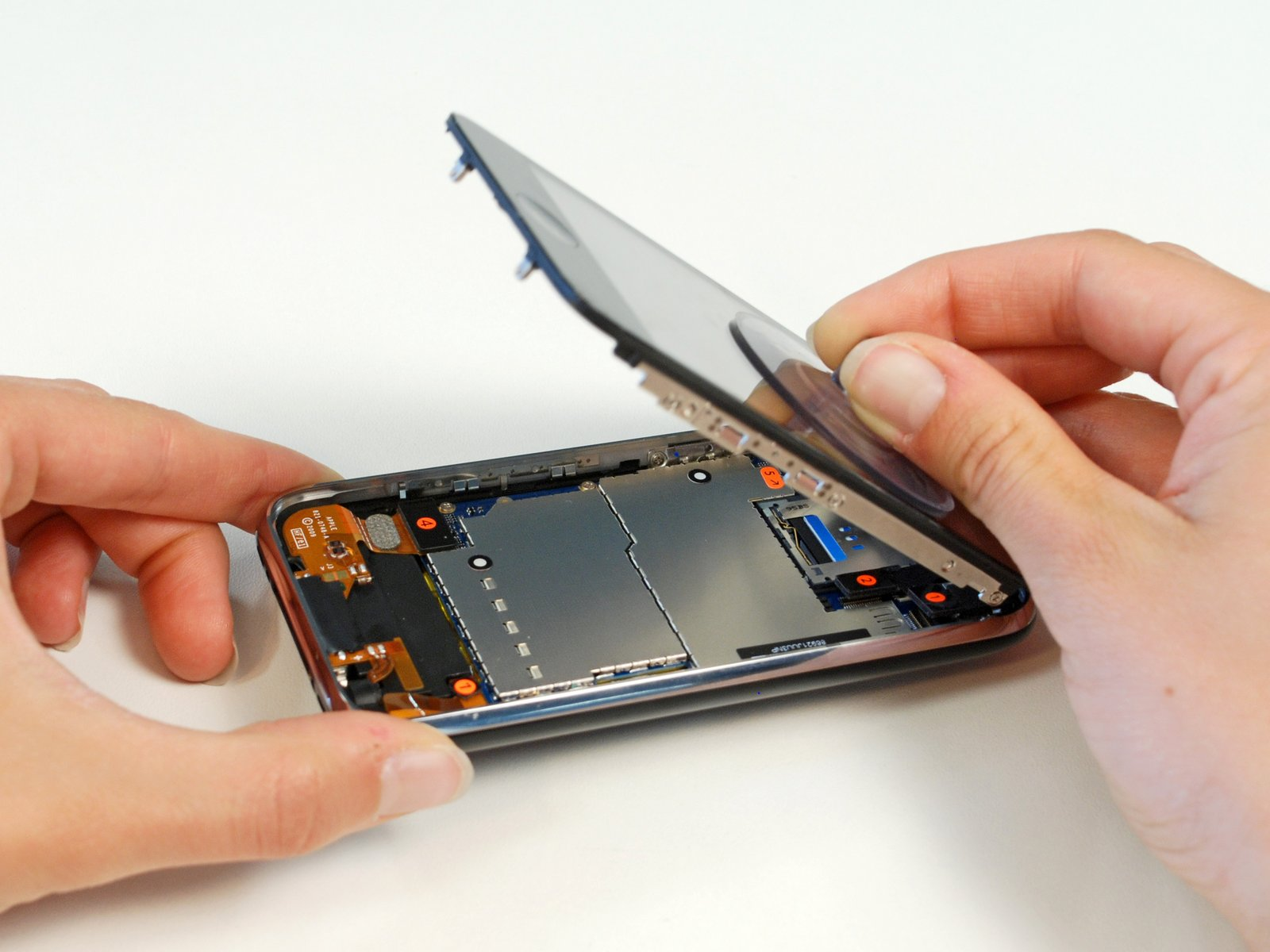
The display depends on internal connectors to communicate. If a connection becomes loose or damaged following an impact or repair, the screen may flicker intermittently. Opening the phone without suitable knowledge can create additional damage.
4. Overheating and Excessive Heat
High temperatures can affect electronic components and may temporarily influence display behaviour. Heavy use, demanding applications, unsuitable charging, or heat can contribute to temperature increases. Allowing the device to cool naturally and avoiding intensive use while it is hot can help determine whether temperature is involved.
5. Moisture or Liquid Exposure
Liquid entering an iPhone can affect internal components, including those connected to the display. Flickering after exposure to water, humidity, or another liquid should not be ignored. Even if the phone continues operating, internal damage can develop and cause display problems later.
6. Brightness and Display Settings
Certain display settings can sometimes make flickering more noticeable. Brightness, accessibility options, or other display configurations may affect how the screen appears. Reviewing settings can be useful when the problem is mild, but persistent flickering should not automatically be treated as a settings issue.
Risks of Ignoring a Flickering iPhone Screen
A flickering display is more than a visual inconvenience. Continued use may become uncomfortable, especially during reading, messaging, gaming, or other activities that require prolonged screen attention. If physical damage is responsible, the visible symptoms may become more noticeable as the underlying problem progresses.
A damaged display can also make touch interaction less predictable. Lines, flashing areas, dark patches, or unstable brightness may interfere with typing and navigation. Getting the issue assessed early can help determine whether a software adjustment or professional repair is needed.
Signs That Your iPhone Screen Needs Attention
Certain symptoms can make it easier to decide when troubleshooting is no longer enough. Watch for these signs:
- Flickering continues after restarting the iPhone and checking basic settings.
- The display shows persistent lines, black areas, or unusual brightness changes.
- Flickering appears across multiple applications rather than in one specific app.
- The problem began after a drop, pressure, moisture exposure, or previous repair.
- Touch response becomes inconsistent while the screen is flickering.
These signs do not identify one specific fault by themselves, but a combination can indicate that the display or an internal connection needs professional attention.
Repair Solutions to Consider
The appropriate solution depends on what is causing the flickering. A technician can assess the display and relevant internal connections before recommending the next step.
If software is responsible, updating the system, restarting the device, or adjusting relevant settings may resolve the problem. If the screen has physical damage or a component has failed, repair or screen replacement may be considered. Professional iPhone screen repairs can address display-related problems while reducing the risk of damage from unsuitable DIY attempts.
How to Prevent Future Screen Problems
Good device care can reduce avoidable display issues and help preserve the condition of the phone. Use a suitable protective case and screen protector, avoid placing heavy pressure on the display, and keep the device away from liquids and excessive heat.
Keep software updated and avoid questionable accessories that may contribute to charging or temperature problems. If the screen behaves unusually after impact or liquid exposure, responding promptly is safer than repeatedly testing it.
Choosing Professional Help for Display Issues
Selecting the right repair support matters because an iPhone display connects to delicate internal components. A provider should examine the symptoms rather than assume every flickering problem needs the same solution.
When considering iPhone Repair and Replacement in Dubai, users can look for a provider that handles iPhone display concerns and explains the process clearly. An assessment can distinguish between a software issue, connection problem, and display fault, making repair options easier to understand before authorising work.
Conclusion
iPhone screen flickering can result from software glitches, display damage, loose connections, overheating, liquid exposure, or certain settings. Because the same symptom can have different causes, observing when the flickering occurs and seeking an appropriate assessment can prevent unnecessary troubleshooting and help protect the device from further problems.
For users considering iPhone Repair and Replacement in Dubai, 800fixing provides professional device repair support with a focus on practical solutions for iPhone-related issues. Its repair services are designed to help users address device problems with appropriate technical attention. When a flickering display affects everyday use, 800fixing can be considered for dependable repair assistance and guidance toward a suitable solution.